


 October 3, 2026
Short Answer
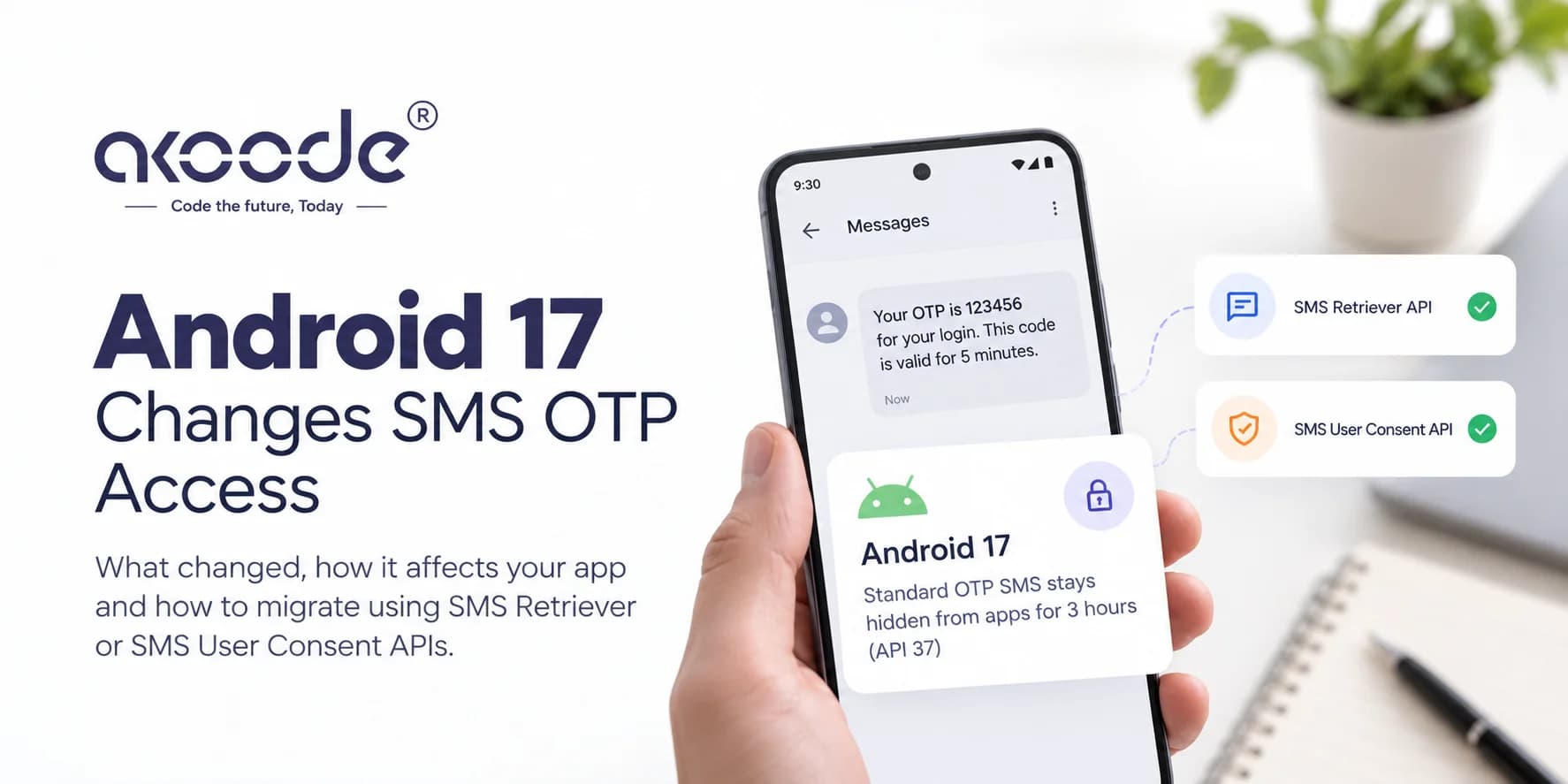
Android 17 changes how apps can read OTP text messages, and a lot of Indian apps read them. For apps that target Android 17 (API 37), a standard OTP SMS stays hidden from the app for three hours after it arrives. Google's guidance is to move to the SMS Retriever or SMS User Consent APIs, which don't read your inbox at all.
The change hasn't broken most apps yet. It will break them the day you raise targetSdk to 37, so the migration belongs on your plan now. This guide covers exactly what changed, whether your app is affected, the two replacement APIs with working code, and the catch that is specific to India: every SMS has to match a DLT-registered template, and the SMS Retriever format needs an app hash inside the message.
What Android 17 changed about SMS OTPs
There are three kinds of OTP message, and Android 17 treats each differently. The details come from Google's behavior-change pages for all apps and for apps targeting Android 17.
Message type | What changed | Who is affected |
|---|---|---|
SMS Retriever format (message contains your app hash) | Already protected. Delivery was delayed three hours for most apps, but the app that owns the hash was exempt | Every app, as before |
WebOTP format (a domain-bound code for the web) | New in Android 17. If an app has SMS permission but isn't the intended recipient, as decided by domain verification, the message is hidden for three hours | Every app, whatever its target API |
Standard SMS containing an OTP | New. The SMS received broadcast is withheld and SMS provider queries are filtered for three hours | Apps targeting API 37 or higher |
Some apps are exempt from the delay, including the default SMS app, assistant apps and companion apps for connected devices. Google's stated reason is to stop OTP hijacking, where a malicious app reads a code before the user or the right app can use it.
During the delay, an app that listens for incoming SMS never sees the message, and a query against the SMS database filters it out. After three hours the message appears. For a login code that expires in minutes, that's the same as not delivering it.
Does this affect your app today?
It depends on how your app gets the code. Find yours in this table:
How your app reads the OTP | On Android 17 today | After you target API 37 |
|---|---|---|
Reads SMS with the SMS permissions and a broadcast receiver | Works, unless the message is in WebOTP format | Breaks: the code arrives three hours late |
Uses the SMS Retriever API | Works, since the app that owns the hash is exempt | Works |
Uses the SMS User Consent API | Works | Works |
The user types the code manually | Works | Works |
There's a second reason to move that has nothing to do with Android 17. Google Play has restricted SMS permissions since January 2019, so apps that read SMS only to extract an OTP are already on thin ice with the store, as this write-up on the SMS Retriever API explains. If your app still holds those permissions, check your Play Console declarations, and treat the migration as fixing two problems at once.
Why you should migrate now, not at the deadline
Android 17 reached Pixel phones in June 2026, according to the Android Developers Blog, and other manufacturers are expected to follow from late in the third quarter of 2026. Your users will be on it gradually through the coming months, which matters for the WebOTP change.
The harder date is the one where you target API 37. We haven't seen Google publish a Play deadline for API 37. If it keeps its yearly rhythm, which has just put API 36 into force, expect something around mid-2027. Three reasons not to wait:
OTP flows are a login path. A broken one is an outage, and it will arrive with your next target bump.
The India-specific work, a new DLT template and an SMS gateway change, takes calendar days regardless of how little code you write.
Moving to Retriever or User Consent also removes your dependence on SMS permissions, which helps with Play review.
Your options: Retriever, User Consent or manual entry
You have three practical choices, and you can combine them.
SMS Retriever | SMS User Consent | Manual entry | |
|---|---|---|---|
User effort | None. The code fills in automatically | One tap on a system prompt | Types the code |
Needs permission | No | No | No |
Message requirement | Contains a one-time code and your 11-character app hash, and stays under 140 bytes | Contains a 4 to 10 character alphanumeric code with at least one number, from a sender who isn't in the user's contacts | None |
You must control the SMS text | Yes | Barely | No |
Best for | Apps where you own the template and gateway | Apps that can't change the SMS format, or white-label setups | Always keep as the fallback |
How to choose: if you can change your DLT template and your gateway, use SMS Retriever, because the experience is smoothest. If you can't, or if one backend serves many apps, use SMS User Consent. Ship manual entry either way, since neither API is guaranteed to fire on every device.
WebOTP is a separate mechanism for mobile web. It's relevant if your checkout runs in a mobile browser, and the Android 17 change means apps that aren't the intended domain can no longer read those messages quickly.
India's twist: DLT templates and the app hash
In India, every SMS has to follow a template registered on a DLT platform. The text your gateway sends has to match the approved template exactly, and variable parts are marked {#var#}, as described in Infobip's DLT guide. Template approval typically takes a few business days, according to gateway documentation. A sloppy edit is rejected by the carrier.
That collides with SMS Retriever, which needs the 11-character app hash inside the message. In practice, this means:
You need a new or updated DLT template. Add the hash to the template text, or make it a variable if your SMS provider supports that. Ask your provider how it treats a hash string, because we've seen setups differ.
Compute the hash from the right certificate. Google's server-side guide says the hash comes from your package name plus your signing certificate. If you use Play App Signing, download the app signing certificate from Play Console. Don't use your upload key. Debug, release and Play-signed builds each produce a different hash.
Never compute it on the device and send it. Google warns against using hashes computed on the client in your messages. Compute it once, offline, and keep it in server configuration.
Put it at the end. Google's example shows the hash on its own last line, and some plugin docs insist it sits at the very end. Follow the example.
Watch the 140-byte limit. OTP messages in Hindi, Tamil, Telugu or any other Indic script take more bytes per character, so a regional-language message can hit the limit fast. Test your longest real message. Regional-language templates also have to be registered as Unicode on DLT, which is a separate template type.
Plan for multiple apps. A white-label or multi-brand setup needs one hash per app and signing key, so it needs either one template per app or a variable.
A shape for the English template, using a placeholder for the hash:
Your Acme login OTP is {#var#}. Do not share it with anyone.
AbC+123xYz9
Don't copy that line. Register what your provider and DLT portal accept, and test it through the real gateway on a real phone before you release.
Implementing SMS Retriever on Android
The client side is short. Add the Play services auth library (check Google's page for the current version), start the retriever just before you request the OTP, and listen for the result.
kotlin
// Start listening, then ask your server to send the OTP
SmsRetriever.getClient(context)
    .startSmsRetriever()
    .addOnSuccessListener { requestOtpFromServer() }
    .addOnFailureListener { showManualEntry() }
kotlin
class OtpReceiver(private val onOtp: (String) -> Unit, private val onFail: () -> Unit) :
    BroadcastReceiver() {

    override fun onReceive(context: Context, intent: Intent) {
        if (SmsRetriever.SMS_RETRIEVED_ACTION != intent.action) return
        val status = intent.extras?.get(SmsRetriever.EXTRA_STATUS) as? Status ?: return
        when (status.statusCode) {
            CommonStatusCodes.SUCCESS -> {
                val message = intent.extras?.getString(SmsRetriever.EXTRA_SMS_MESSAGE).orEmpty()
                Regex("\\b\\d{6}\\b").find(message)?.value?.let(onOtp) ?: onFail()
            }
            CommonStatusCodes.TIMEOUT -> onFail()
        }
    }
}
Register the receiver with the SMS Retriever send permission so only Play services can trigger it, and mark it exported, since the broadcast comes from another app:
kotlin
ContextCompat.registerReceiver(
    context,
    receiver,
    IntentFilter(SmsRetriever.SMS_RETRIEVED_ACTION),
    SmsRetriever.SEND_PERMISSION,
    null,
    ContextCompat.RECEIVER_EXPORTED
)
The retriever listens for up to five minutes for one matching message. Treat the code as a convenience, send it to your server for verification, and never decide that a user is verified on the device alone. These snippets are sketches. Check Google's current sample for the exact receiver registration on your target API.
Implementing SMS User Consent on Android
User Consent shows a system prompt asking the user to share one message with your app. Start it before the SMS arrives, because messages that came in earlier aren't forwarded.
kotlin
SmsRetriever.getClient(context).startSmsUserConsent(null) // or a specific sender number

private val consentLauncher =
    registerForActivityResult(ActivityResultContracts.StartActivityForResult()) { result ->
        if (result.resultCode == Activity.RESULT_OK) {
            val message = result.data?.getStringExtra(SmsRetriever.EXTRA_SMS_MESSAGE).orEmpty()
            Regex("\\b\\d{6}\\b").find(message)?.value?.let(::submitOtp)
        } else {
            showManualEntry()
        }
    }

// In your receiver, on SMS_RETRIEVED_ACTION with a SUCCESS status:
val consentIntent = BundleCompat.getParcelable(
    intent.extras!!, SmsRetriever.EXTRA_CONSENT_INTENT, Intent::class.java
)
consentIntent?.let { consentLauncher.launch(it) }
The criteria for the prompt to appear, per the Google documentation as relayed by plugin docs: the message holds a 4 to 10 character alphanumeric string with at least one number, the sender isn't in the user's contacts, and if you specified a sender number, the message came from it. If you pass a sender, test it against your registered DLT header, and use nullwhen in doubt. Like the retriever, it listens for five minutes.
Flutter and React Native
Both frameworks have community plugins for the two APIs, and some bundle them behind one interface. Before you adopt one, check three things:
Maintenance. When was it last released, and has anyone tested it on Android 17?
Permissions. Look at the merged manifest in your release build. A plugin that quietly adds
READ_SMSorRECEIVE_SMSbrings your Play policy risk straight back.Hash handling. Plugins often include a helper that prints your app hash. Use it during development to get the value, then remove it, as Google advises.
If a plugin is stale, a thin platform channel to the two Play services APIs is a small amount of native code. Our guide to native, cross-platform and hybrid apps covers the trade-offs of each approach.
Server rules that still apply
The migration is mostly client-side, but your server decides whether the flow is safe. From Google's server guidance and standard practice:
Generate codes that are unguessable and expire, and tie each to a user or phone number.
Verify the code on the server, remove it after use, and rate-limit attempts and sends.
Send the code only by SMS. Never return it in the API response for client-side checking.
Keep your app hash in configuration, and update it when your signing key changes.
This overlaps with the checks in our mobile app security checklist, since login is the first thing attackers probe.
Fallbacks that keep users from getting stuck
Neither API is guaranteed to fire every time. Plan for the cases where it doesn't:
Timeout. After about five minutes the listener stops, so show a resend option before that.
No Play services. The retriever needs Google Play services, so devices without them need manual entry.
SMS arrives on another device. A user with a second SIM, or one who requests the code on a different phone, has to type it.
App killed in the background. Restart the listener when the user returns to the screen.
Slow delivery. Show a countdown and a "resend" option, and don't start a new session that invalidates the old code without telling the user.
Manual entry should always work, with a clear field and the code length visible.
Reducing your dependence on SMS
Moving to Retriever fixes the Android 17 problem, but it doesn't make SMS delivery reliable or cheap. If your team is rethinking login anyway, passkeys through Android's Credential Manager are worth a look as a primary method with OTP as a fallback. That's a bigger product decision, so we've kept it out of this migration.
Testing the change
Test on a real Android 17 device or emulator, and test twice: once with your current target SDK and once with a build targeting API 37.
Test | What you're checking |
|---|---|
Build targeting API 36 on Android 17 | Your current flow still works |
Build targeting API 37 with the old SMS receiver | The code is withheld, which confirms the problem exists |
Build targeting API 37 with SMS Retriever | The code fills in without a delay |
Build targeting API 37 with SMS User Consent | The prompt appears and the code arrives immediately |
Debug, release and Play-signed builds | Each has the right hash in the SMS |
Longest regional-language message | It stays under 140 bytes and matches the DLT template |
Device with no Play services | Manual entry works |
Expired, repeated and wrong codes | Your server rejects them |
On an emulator, you can simulate an incoming message with the emulator console's SMS command, for example adb emu sms send 900 "Your code is 123456". A real SMS through your actual gateway is the only test that proves the template works.
A migration plan
This week: list every place the app reads SMS, and every SMS permission in your merged manifest.
Next two weeks: pick Retriever or User Consent, update the client, and ask your SMS provider and DLT portal about the template change.
Before the next release: ship the new flow alongside manual entry, and measure how often autofill succeeds.
Before you target API 37: remove SMS permissions you no longer need, and re-test on Android 17.
Mistakes worth catching in review
Raising
targetSdkto 37 without checking the OTP path.Computing the hash from your upload key instead of the Play app signing certificate.
A DLT template that doesn't match the SMS the gateway actually sends.
A regional-language OTP message over 140 bytes.
A plugin that adds SMS permissions to your manifest.
Starting User Consent after the OTP was requested, so the message is missed.
Treating the code read on the device as proof of verification.
No manual-entry fallback.
Getting help with this migration
An OTP change touches your app, your SMS gateway, your DLT registration and your login backend, and those usually belong to different people. If you want help, our Android app development and mobile app development teams work on login and payment flows, and teams searching for a mobile app development company in India can talk to us directly.
If you'd rather work with a team in your own city, we have pages for Gurgaon, Delhi NCR, Noida, Mumbai, Pune, Bangalore, Hyderabad, Chennai, Kolkata, Ahmedabad, Jaipur and Lucknow. If you're a company in the US, UK, Canada or UAE with Android users in India, see our mobile pages for the USA, UK, Canada and UAE. For the wider picture, see our piece on mobile app development trends.
Frequently Asked Questions
Does Android 17 break my OTP autofill today?
Not for most apps. The three-hour delay for standard OTP SMS applies only to apps targeting API 37 or higher. Apps already on SMS Retriever or SMS User Consent are unaffected. Messages in WebOTP format are delayed for apps that aren't the intended recipient, whatever the target API.
What exactly is delayed, and for how long?
For three hours after receipt, the SMS received broadcast is withheld and SMS provider queries are filtered. After the delay, the message becomes available to the app.
Which apps are exempt from the delay?
Google lists the default SMS app, assistant apps and companion apps for connected devices. The app that owns an SMS Retriever hash is also exempt for messages carrying that hash.
Should I use SMS Retriever or SMS User Consent?
Use SMS Retriever if you control the SMS text and can add your app hash, because it needs no user action. Use SMS User Consent if you can't change the SMS format, because it asks for one tap. Keep manual entry as a fallback either way.
Do I need SMS permissions for either API?
No. Neither API needs READ_SMS or RECEIVE_SMS, and removing those permissions also reduces your Play policy risk.
How do I get my app hash for SMS Retriever?
It's the first 11 characters of a base64-encoded SHA-256 hash of your package name and signing certificate. If you use Play App Signing, use the app signing certificate from Play Console, not your upload key. Compute it once and keep it on your server.
Do I need to change my DLT template?
If you adopt SMS Retriever, yes. Your SMS must match a DLT-approved template exactly, and the Retriever format needs the app hash in the message. Ask your SMS provider how to register it.
When do I have to target API 37?
We haven't seen Google publish a Play deadline for API 37. If it keeps its yearly pattern, expect around mid-2027. The OTP change bites when you raise your target, so migrate before then.
Want a second opinion on your OTP flow before you raise the target SDK? Book a call with Akhil.
About Akoode
Akoode Technologies builds mobile apps, AI products and custom software from Gurugram, India, with a US presence in Jenks, Oklahoma. Clients rate us 4.9 on Google from 126 reviews and 5.0 out of 5 on GoodFirms.
Get In Touch Now
View More Our Blog