 September 22, 2026
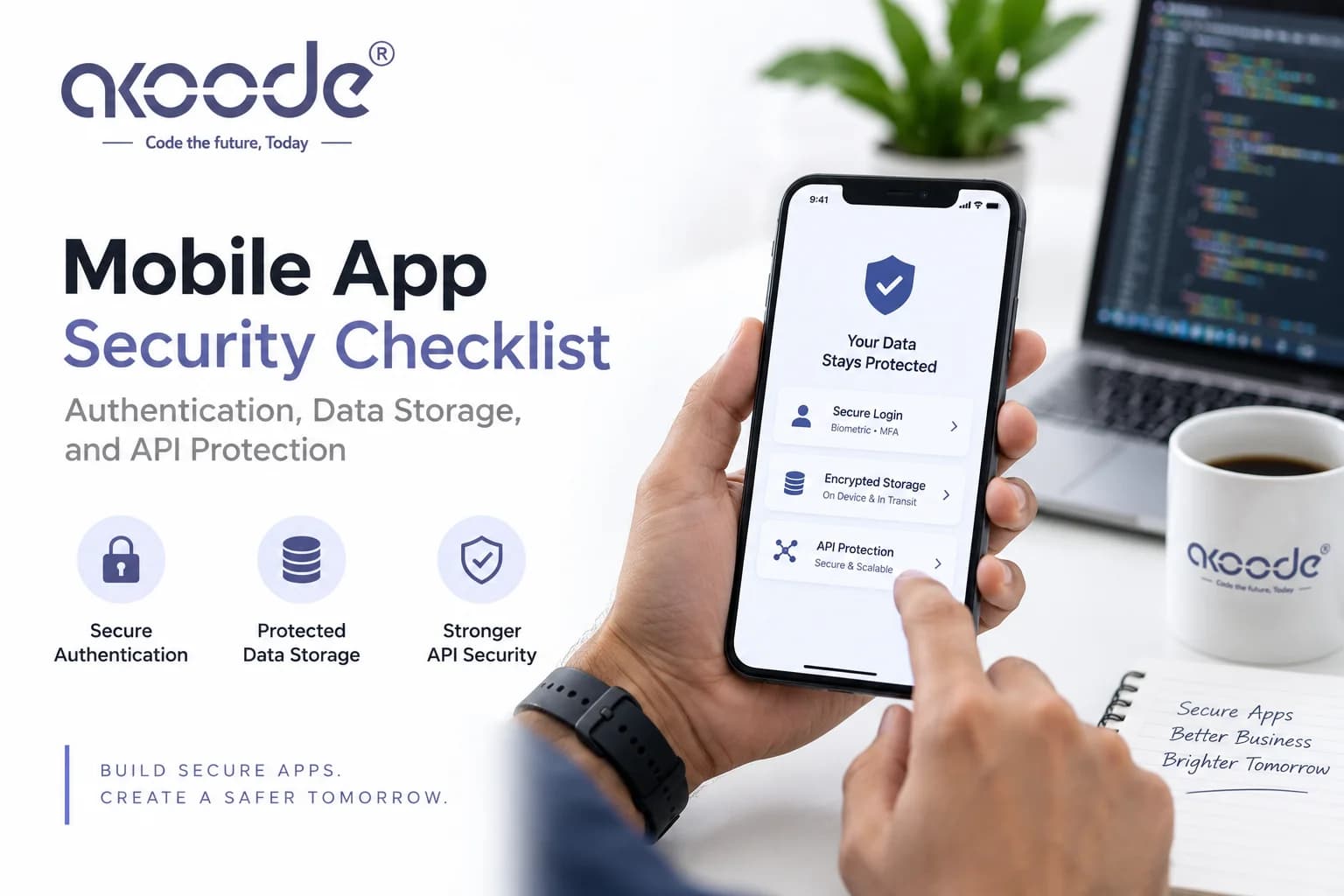
Quick answer: Mobile app security covers three layers that fail independently: how a user proves who they are (authentication), where sensitive data sits on the device and in transit (data storage), and how the app talks to its backend without exposing it to abuse (API protection). Getting one layer right doesn't compensate for a gap in another — a hardened API behind a token stored in plain preferences is still a broken app.
Akoode Technologies builds mobile applications with security decisions made at the schema and architecture level, not added as a pre-launch checklist.
What is mobile app security and why does it need its own checklist?
Mobile app security is the set of practices that protect user data, app logic, and backend systems from being read, altered, or abused through a mobile client. It differs from web application security because a mobile app ships as a binary the attacker can hold, decompile, and inspect at leisure, and because the device itself — not just the network — is part of the attack surface.
A web app's frontend disappears the moment the tab closes. A mobile app's frontend sits on millions of individual devices, some rooted, some jailbroken, some running years-old OS versions with unpatched vulnerabilities. Anything the app does — store a token, call an API, validate a purchase — can be observed, intercepted, or replayed by someone who has physical access to their own copy of your binary. Security has to assume the client is hostile, not just the network.
What is the OWASP Mobile Top 10?
The OWASP Mobile Top 10 is a ranked list of the most common and impactful mobile application security risks, maintained by the Open Web Application Security Project. It's the closest thing the industry has to a standard reference for what to check before shipping an app, and most enterprise security reviews score against it directly.
Risk category | What it covers |
|---|---|
Improper credential usage | Hardcoded secrets, weak password handling, credential exposure in logs |
Inadequate supply chain security | Vulnerable or unverified third-party SDKs and libraries |
Insecure authentication/authorization | Weak session handling, missing server-side checks, broken token validation |
Insufficient input/output validation | Injection flaws, unvalidated data from the client trusted server-side |
Insecure communication | Unencrypted or improperly validated network traffic |
Inadequate privacy controls | Over-collection or improper handling of personal data |
Insufficient binary protections | Missing obfuscation, exposed debug symbols, reverse-engineerable logic |
Security misconfiguration | Default credentials, verbose error messages, unnecessary permissions |
Insufficient cryptography | Weak algorithms, custom crypto, improper key management |
Insufficient privacy and code tampering protections | No root/jailbreak detection, no tamper checks where warranted |
Not every app needs defenses against every category — a note-taking app and a banking app have different threat models. But every app should be evaluated against this list deliberately, not by accident.
Authentication and Session Security
How do I secure user authentication in a mobile app? Secure mobile authentication uses short-lived access tokens paired with a longer-lived refresh token, validates every request server-side regardless of what the client claims, and stores tokens only in the platform's secure storage — Keychain on iOS, Keystore on Android. Biometric authentication should unlock local access, not replace server-side session validation.
Token design
Decision | Recommended approach | Why |
|---|---|---|
Access token lifetime | Short — minutes to a couple of hours | Limits the damage window if a token leaks |
Refresh token lifetime | Longer, but revocable | Lets sessions persist without re-login while staying killable |
Token storage | Keychain (iOS) / Keystore (Android) | Hardware-backed, isolated from app sandbox reads by other processes |
Token rotation | Rotate refresh token on use | Old token becomes invalid, limiting replay of a stolen one |
Session invalidation | Server-side revocation list or short TTL | A stolen device or a logout needs to actually end the session, not just the client's belief in it |
The concurrency problem nobody mentions
A detail that catches teams out in production: if your backend invalidates the old refresh token the instant a new one is issued, and several API calls expire in the same second, each one independently tries to refresh — and only the first one wins. Every other request gets a dead token and the user is signed out mid-session, for no reason a QA pass on a single device will ever catch.
Akoode ran into exactly this building a three-surface parking platform: a burst of concurrent 401s was signing users out because each expiring request refreshed independently. The fix was a single shared refresher that caches the in-flight refresh request, so every concurrent 401 collapses into one refresh call instead of racing several. It runs on a bare HTTP client with no interceptors, specifically so it can't recurse into itself.
Biometric authentication is a local gate, not a session
Face ID and fingerprint unlock should control whether this device lets the user back into an already-authenticated session. They are not a substitute for the backend validating who is actually making a request. An app that treats "biometric passed" as equivalent to "user is authorized" has moved the trust boundary onto hardware the attacker controls.
Multi-provider sign-in needs one session model
Apps commonly offer email/password, phone OTP, Google, and Apple sign-in. Each provider has a different token format and validation flow, but they all need to resolve into the same internal session and role model — otherwise you end up debugging four separate authentication systems instead of one. The parking platform above runs four sign-in paths (email/password, phone OTP, Google, Apple) into a single session model shared across mobile and web, which is what keeps a driver, an owner, and an admin all reading consistent permissions from one source.
Data Storage Security
Where should sensitive data be stored in a mobile app? Sensitive data — tokens, PII, payment details — should never be stored in plain SharedPreferences (Android) or NSUserDefaults (iOS), both of which are trivially readable on a rooted or jailbroken device. Use the Keychain on iOS and the Keystore on Android for anything that needs hardware-backed protection, and encrypt sensitive fields at the application layer before they ever reach the database.
What goes where
Data type | Correct storage | Wrong storage (common mistake) |
|---|---|---|
Auth tokens | Keychain / Keystore | SharedPreferences / UserDefaults / plain SQLite |
Passwords | Never stored on-device at all | Cached "for convenience" |
Payment card data | Never touches your servers — provider SDK only | Custom fields in your own database |
Bank account / payout details | Encrypted at the application layer before persistence | Stored as plain columns |
Session/cache data | Encrypted local database (SQLCipher or platform equivalent) | Plain SQLite |
Biometric data | Never leaves secure hardware enclave | Sent to a server in any form |
Encryption at rest is a design decision, not a patch
Bank account fields, government ID numbers, and other financial identifiers need encryption applied before they're written to the database — decrypted only at the moment an authorized process actually needs them, never stored or logged in decrypted form.
On an ambassador referral and commission platform Akoode built, ambassadors' bank account details are AES-256 encrypted at the application layer before persistence, and decrypted only when an authorized finance admin processes a payout. That decision sits in the schema from day one — retrofitting encryption onto a database of unencrypted payout records later is far more expensive and risk-prone than designing it in up front.
Money math is a security-adjacent problem too
A less obvious data-integrity issue: native floating-point numbers introduce rounding drift in financial calculations at scale, and drift in money is still a security-relevant bug — it creates disputes, audit-trail inconsistencies, and in the worst case, exploitable rounding exploits. The referral platform above uses a decimal column type throughout its schema instead of native floats, specifically to keep commission math exact to the cent across thousands of transactions.
API and Network Protection
How do I protect a mobile app's API from abuse? Protect a mobile app's API by validating every request server-side regardless of client input, encrypting all traffic with TLS, never trusting price, availability, or permission decisions made on the client, and rate-limiting or authenticating every endpoint the app calls. The client should never be the source of truth for anything that affects money, access, or another user's data.
The core rule: clients propose, servers decide
A recurring pattern across real builds: no client — mobile app, web app, or admin console — should ever be the one deciding whether something is available, what it costs, or whether a payment succeeded. On the parking platform, availability is checked, then priced, then booked — in that exact order, server-side, every time. The client requests a booking and hands back a payment intent ID for the server to verify before anything is confirmed. A dismissed payment sheet, a 3D Secure redirect, or a dropped connection can never leave the client and server disagreeing about what actually happened, because the client was never authorized to decide in the first place.
TLS and transport security
Requirement | Why it matters |
|---|---|
TLS on every network call, no exceptions | Plaintext HTTP on a public Wi-Fi network is trivially interceptable |
Certificate pinning for high-sensitivity apps | Defends against man-in-the-middle attacks using a fraudulent but trusted certificate |
No sensitive data in URL query parameters | URLs get logged by proxies, analytics tools, and browser history |
Reject self-signed or invalid certificates in production | A common debug-build shortcut that occasionally ships to production by mistake |
Webhook and third-party integration security
Any integration point where an external system pushes data into your backend needs its own validation layer independent of your main API auth. On the referral platform, webhook deliveries from the ticketing partner are HMAC-validated before being trusted, and a parallel scheduled sync using the same order ID as a unique database constraint prevents a webhook and a sync both processing the same event into duplicate financial records — a concurrency bug that is really a security bug, because it means an attacker who can trigger duplicate webhook delivery could potentially duplicate a payout.
Rate limiting and abuse prevention
Control | Protects against |
|---|---|
Per-user and per-IP rate limiting | Credential stuffing, brute-force login attempts, scraping |
Request signing for sensitive actions | Replay attacks on captured requests |
Server-side validation of all business logic | Client-side bypass of pricing, discounts, or access rules |
Anomaly detection on transaction patterns | Fraud rings and automated abuse |
Mobile App Security at a Glance
Layer | Key requirement | Common failure |
|---|---|---|
Authentication | Short-lived tokens, server-side session validation, secure storage | Long-lived tokens in plain storage, biometric treated as full auth |
Data storage | Keychain/Keystore for secrets, app-layer encryption for PII | Sensitive data in SharedPreferences or plain database columns |
API protection | Server-side decisions, TLS everywhere, validated webhooks | Client-trusted pricing/availability, unvalidated third-party callbacks |
Concurrency | Single-flight token refresh, idempotent writes | Race conditions signing users out or duplicating transactions |
Financial data | Decimal-precision math, encryption before persistence | Float-based money math, unencrypted bank fields |
What should a mobile app security review check before launch?
A pre-launch security review should check server-side validation of all authentication and business logic, secure storage of tokens and PII, TLS configuration, dependency and SDK vulnerability scanning, permission scope (the app should request only what it uses), and a manual test of what happens when the device is offline, the token expires mid-session, or a request is replayed.
A practical pre-launch checklist:
Auth flow. Can a token be replayed after logout? Does refresh rotation actually invalidate the old token?
Storage audit. Search the codebase for anything written to SharedPreferences/UserDefaults and confirm nothing sensitive lives there.
Network inspection. Proxy the app's traffic and confirm every call uses TLS and no sensitive data appears in logs or URLs.
Dependency scan. Check third-party SDKs against known vulnerability databases — a compromised ad SDK or analytics library is a real attack vector.
Permission audit. Remove any requested device permission the app doesn't actively use.
Concurrency test. Force multiple simultaneous expired-token requests and confirm the app doesn't sign the user out incorrectly.
Server-side trust check. Attempt to manipulate price, quantity, or permissions from a modified client request and confirm the server rejects it.
Frequently Asked Questions
What is mobile app security?
Mobile app security is the practice of protecting user data, authentication, and backend systems from being read, altered, or abused through a mobile client. It covers how the app authenticates users, where it stores sensitive data, and how it communicates with its backend, on the assumption that the device and network can both be hostile.
Where should auth tokens be stored on a mobile device?
Auth tokens should be stored in the iOS Keychain or Android Keystore, both of which are hardware-backed and isolated from other apps. Storing tokens in SharedPreferences, UserDefaults, or a plain local database leaves them readable on a rooted or jailbroken device with minimal effort.
What is the OWASP Mobile Top 10?
The OWASP Mobile Top 10 is a ranked reference list of the most common mobile app security risks, covering credential handling, authentication, data validation, communication security, cryptography, and binary protections. It's widely used as a baseline for security reviews and audits.
Should I encrypt data at rest in my app's database?
Yes, for sensitive fields such as bank details, government ID numbers, and other personal identifiers. Encryption should be applied at the application layer before the data is written, with decryption happening only when an authorized process needs it, never stored or logged in plain form.
Is biometric login (Face ID / fingerprint) enough for app security?
No. Biometric authentication should control local access to an already-authenticated session on that device. It doesn't replace server-side validation of who is actually making each request — the backend still needs to independently verify every session and permission.
How do I prevent my mobile app's API from being abused?
Validate every request server-side regardless of what the client sends, use TLS on all traffic, never let the client decide pricing, availability, or permissions, rate-limit sensitive endpoints, and validate any webhook or third-party callback independently before trusting it.
What is certificate pinning and do I need it?
Certificate pinning makes an app trust only a specific certificate or public key instead of any certificate signed by a trusted authority, which defends against man-in-the-middle attacks using a fraudulent but technically valid certificate. It adds maintenance overhead for certificate rotation, so it's most worth the cost for apps handling financial or health data.
Why does concurrent token refresh cause users to get signed out?
If a backend invalidates the old refresh token the instant a new one is issued, several requests expiring in the same second will each try to refresh independently — only the first succeeds, and every other request hits a now-dead token and fails. The fix is a single shared refresh mechanism that collapses concurrent refresh attempts into one call.
Should I use native floating-point numbers for money in my app?
No. Native floats introduce rounding drift that compounds across many transactions, which creates real accounting discrepancies at scale. Use a decimal-specific data type throughout the schema and avoid ever casting through a native float in the calculation pipeline.
What permissions should a mobile app request?
Only the permissions it actively uses, requested at the point they're needed rather than all at once on first launch. Requesting camera, location, or contacts access without a clear in-context reason is both a security red flag for reviewers and a common cause of App Store and Play Store rejection.
Does mobile app security compliance differ by industry?
Yes. Healthcare apps handling protected health information need to consider HIPAA, apps processing card payments need PCI-DSS alignment, and apps handling California or EU user data need to consider CCPA or GDPR requirements respectively. These shape specific decisions like encryption standards, access logging, and data retention, and are best identified during discovery rather than retrofitted before launch.
Who is responsible for mobile app security — the developer or the client?
Both, contractually. The development team is responsible for implementing secure architecture, but the contract should specify security obligations, testing requirements, and what happens if a vulnerability is found post-launch. Ask any vendor how they handle production credentials, code review, and access control before development starts.
Security Requirements by Market?
Compliance obligations shift by where your users are. Akoode builds mobile apps for clients across the USA, UK, Canada, and UAE, and the security architecture adjusts accordingly:
USA — HIPAA for health data, PCI-DSS for payments, CCPA for California residents.
UK — UK GDPR, plus FCA requirements for anything touching regulated financial services.
Canada — PIPEDA governs personal data handling nationally, with added provincial rules in some jurisdictions.
UAE — The UAE's PDPL sets consent and data-handling requirements, with additional rules for apps operating in free zones like DIFC or ADGM.
The technical controls in this checklist — token security, encryption at rest, server-side validation — apply everywhere. What changes by market is which framework dictates the specifics: encryption standards, breach notification timelines, and data residency requirements.
For a security review of your own app's architecture, or to scope a build with these decisions made from day one, book a call with Akoode.
Get In Touch Now
View More Our Blog