


 May 20, 2026
Every time a developer pushes code, something needs to build it, test it, and ship it. Without automation, that something is a human. That means delays, missed steps, inconsistencies, and production problems that should have been caught earlier.
A CI/CD pipeline automates the entire journey from code commit to live deployment. It is the infrastructure that allows engineering teams to ship software quickly, consistently, and safely.
High-performing DevOps teams deploy multiple times per day. That pace is only possible with a well-built pipeline. This guide covers what CI/CD means, what a pipeline looks like, how to build one step by step, and what separates reliable pipelines from ones that slow teams down.
What Is a CI/CD Pipeline and What Does It Mean?
CI/CD stands for Continuous Integration and Continuous Deployment. Two related but distinct practices that work together.
Continuous Integration means every code change is automatically built and tested as soon as a developer commits it. If the build breaks or tests fail, the developer knows within minutes. Problems are caught while the context is still fresh rather than weeks later when the code is buried under more changes.
Continuous Deployment means every change that passes all CI checks is automatically deployed to staging or production. No manual steps. No human gate between passing tests and live software.
Together, CI/CD removes the manual steps between writing code and delivering it to users. A developer commits code. The pipeline takes it from there.
A CI/CD pipeline in DevOps is the automated workflow that executes this process. It is a sequence of stages, each acting as a quality gate. Code only moves forward when it passes the current stage. If anything fails, the pipeline stops and notifies the team immediately.
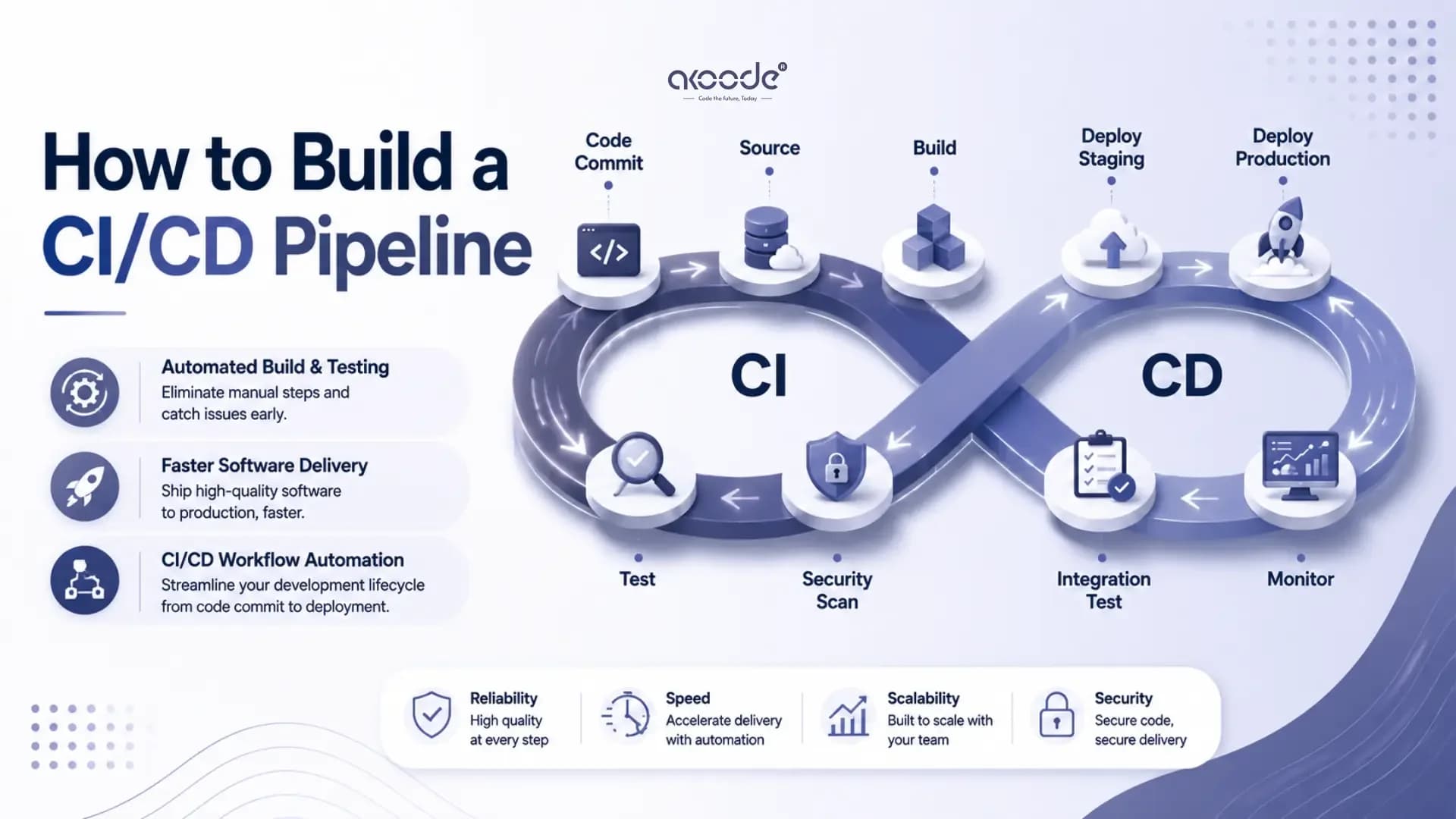
What Does a CI/CD Pipeline Look Like? The Diagram
Every CI/CD pipeline follows the same fundamental flow regardless of the tools involved.
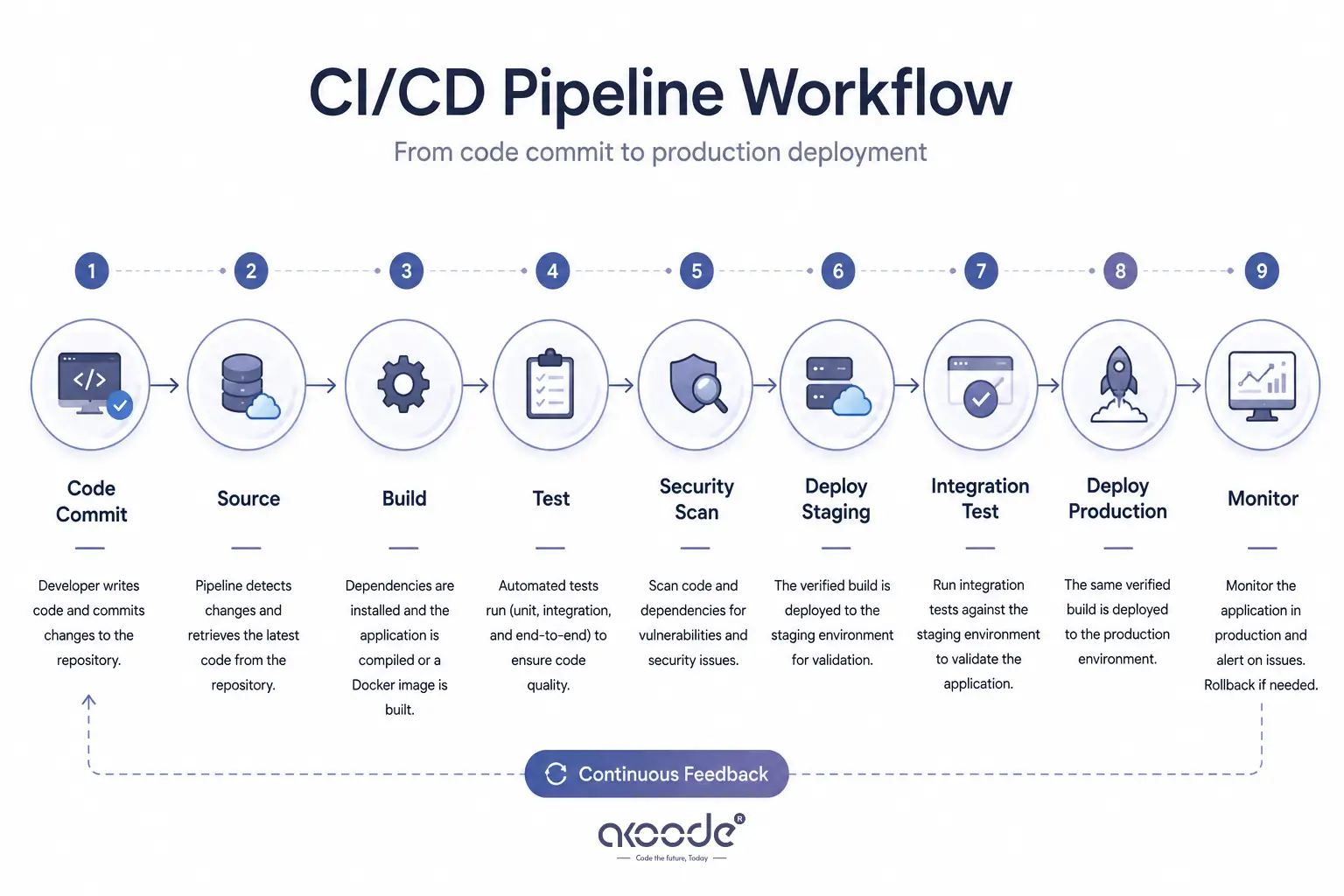
Code Commit → Source → Build → Test → Security Scan → Deploy Staging → Integration Test → Deploy Production → MonitorHere is what each stage does:
Source: A developer pushes code or opens a pull request. The pipeline detects the change and checks out the latest code from the repository.
Build: The application is compiled, dependencies are installed, and a deployable artifact is produced. For most teams in 2026, this means building a Docker image. The artifact produced here is what gets deployed. It should not be rebuilt at later stages.
Test: Automated tests run against the build artifact. Unit tests run first. They are fast and catch logic errors in individual functions. Integration tests run next. They verify that components work together correctly. End-to-end tests run last. They are slower and simulate real user flows.
Security Scan: Static analysis tools check the code for known vulnerabilities. Dependency scanners check for outdated packages with reported security issues. This stage catches security problems before they reach production.
Deploy to Staging: The verified artifact deploys to a staging environment that mirrors production. This is where the application runs against real infrastructure for the first time.
Integration Tests in Staging: A final set of tests runs against the staging deployment. These confirm the application works correctly in a production-like environment before real users see it.
Deploy to Production: The same artifact that passed every previous stage deploys to production. Gradual rollout strategies like canary or blue-green deployments reduce risk during this final step.
Monitor and Rollback: Once live, the pipeline monitors the deployment. If error rates spike or performance degrades, the system triggers an automatic rollback to the last known good version.
How Do You Choose the Right CI/CD Pipeline Tools?
Tool selection shapes how much maintenance your pipeline requires and how fast your team can iterate on it.
The principle that governs 2026 tool selection is platform gravity. The best CI/CD tool is usually the one closest to where your code lives.
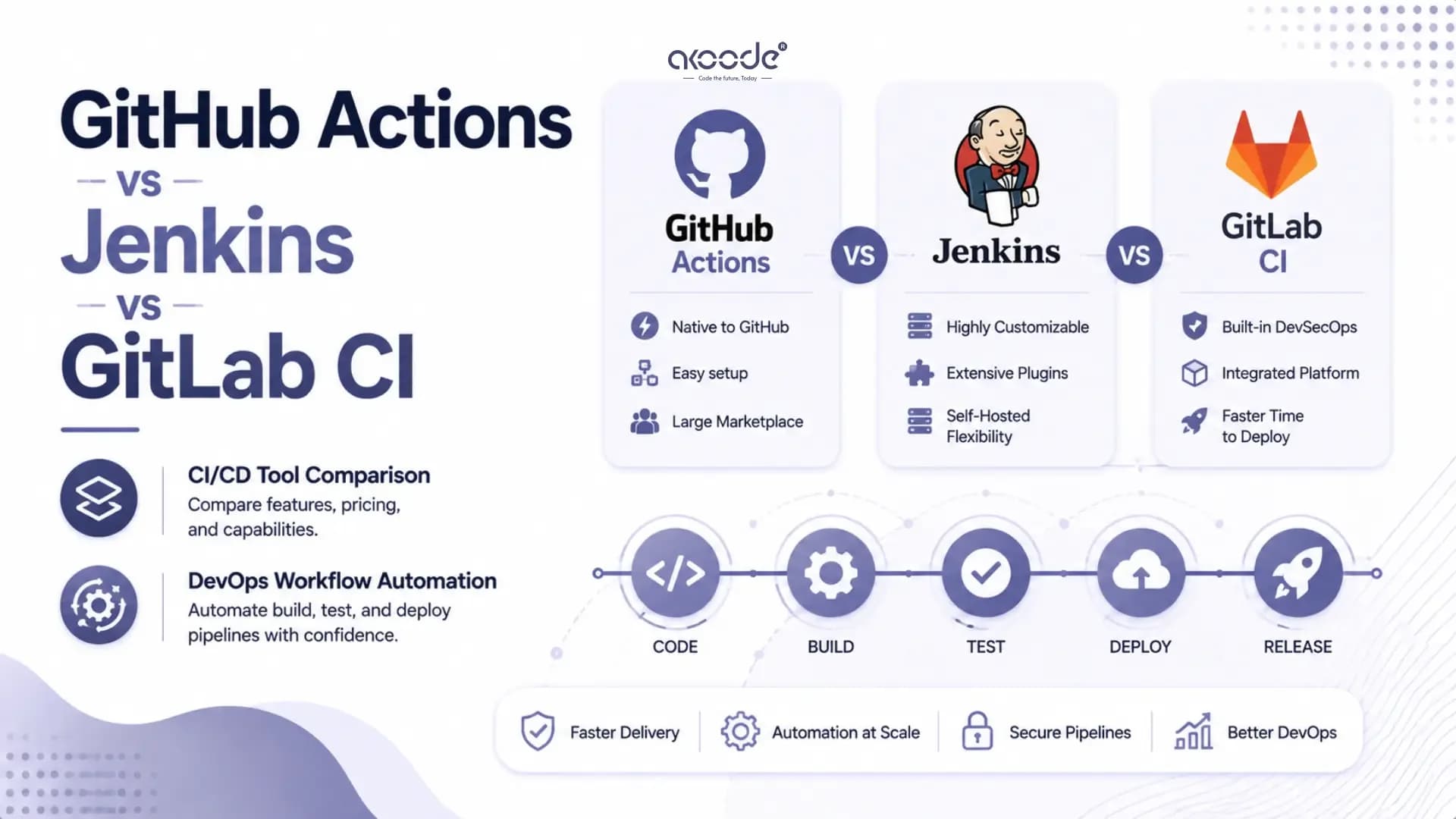
If your code is on GitHub, GitHub Actions is the natural choice. It integrates natively, has zero setup overhead, and provides 20,000-plus reusable actions from the marketplace. If your code is on GitLab, GitLab CI is the cleanest option. If you need to run pipelines across multiple source control systems or in an air-gapped on-premises environment, Jenkins gives you the flexibility that hosted platforms cannot.
For a detailed comparison of all three tools including pricing, architecture, and decision framework, the GitHub Actions vs Jenkins vs GitLab CI guide covers the full decision in depth.
Beyond the core pipeline tool, you will need to make decisions about:
Container registry for storing Docker images. Docker Hub, Amazon ECR, GitHub Container Registry, and Google Artifact Registry are the most widely used in 2026.
Secrets management for storing API keys, database passwords, and deployment credentials. Never hardcode these. Use GitHub Secrets, GitLab CI Variables, Jenkins Credentials, AWS Secrets Manager, or HashiCorp Vault.
Infrastructure as Code for defining deployment targets. Terraform is the most widely adopted IaC tool. AWS CloudFormation suits teams running exclusively on AWS.
Monitoring and alerting for observing deployments after they go live. Prometheus, Grafana, Datadog, and Sentry cover the most common observability requirements.
How Do You Build a CI/CD Pipeline Step by Step?
Here is the complete process for building a CI/CD pipeline from scratch. These steps apply regardless of which tools you choose.
Step 1: Set up your source control repository
All pipeline work begins with a well-organised repository. Your code, Dockerfiles, and pipeline configuration files should all live in version control. Create clear branch protection rules. Require pull requests for merges to the main branch. Require CI to pass before a pull request can be merged. These rules enforce the pipeline as a quality gate rather than an optional step.
Step 2: Define your pipeline configuration file
Most modern CI/CD tools use a YAML configuration file that lives in the repository. This file defines when the pipeline runs, what jobs it contains, and what each job does.
Here is a real, minimal GitHub Actions example:
name: CI/CD Pipeline

on:
push:
branches: [main]
pull_request:
branches: [main]

jobs:
build:
runs-on: ubuntu-latest
steps:
- uses: actions/checkout@v4
- uses: actions/setup-node@v4
with:
node-version: '20'
cache: 'npm'
- run: npm ci
- run: npm run build
- uses: actions/upload-artifact@v4
with:
name: build-output
path: dist/

test:
needs: build
runs-on: ubuntu-latest
steps:
- uses: actions/checkout@v4
- uses: actions/setup-node@v4
with:
node-version: '20'
cache: 'npm'
- run: npm ci
- run: npm test

deploy-staging:
needs: test
runs-on: ubuntu-latest
if: github.ref == 'refs/heads/main'
steps:
- uses: actions/checkout@v4
- name: Deploy to staging
run: echo "Deploy to staging environment"
env:
DEPLOY_KEY: ${{ secrets.STAGING_DEPLOY_KEY }}
This pipeline does three things. It builds the application and uploads the artifact. It runs tests against that build. It deploys to staging only when a push goes to the main branch, and only after tests pass. The secret key is pulled from GitHub Secrets, never hardcoded.
Step 3: Implement the build stage properly
Build the application once. Upload the artifact. Download and reuse it in every subsequent stage. Never rebuild the artifact at each stage. What gets tested must be exactly what gets deployed. Rebuilding at different stages breaks this guarantee.
For containerised applications, use multi-stage Docker builds. The first stage compiles the application. The final stage produces a minimal runtime image containing only what the application needs to run. Multi-stage builds are standard practice in 2026. They reduce image size, reduce attack surface, and speed up deployments.
Step 4: Set up the testing layer
Organise tests into a pyramid. Unit tests are fast, run on every commit, and catch logic errors in individual functions. They should complete in under two minutes. Integration tests are slower and verify that components work together. They run on every pull request and push to main. End-to-end tests are the slowest. Run them on staging deployments rather than on every commit.
A CI run that takes more than fifteen minutes is too slow. Developers will stop waiting for it and merge without reading the results. Keep unit and integration tests within that window. Move slow tests to a separate scheduled pipeline that runs independently.
Step 5: Add security scanning
Security scanning should run in every pipeline. Not as a separate process and not only at release time. Tools like Trivy scan Docker images for known vulnerabilities in under a minute. Dependabot or Renovate automatically identify outdated dependencies with reported security issues and open pull requests to update them.
Static analysis tools like SonarQube or CodeClimate check for code quality issues and known insecure patterns. These scans should run in parallel with tests to avoid adding to the total pipeline time.
Step 6: Build the deployment stages
Start with two environments: staging and production. Staging mirrors production as closely as possible. It uses the same infrastructure configuration, the same environment variables, and the same deployment process. The only difference is the data and the traffic.
For deployment to production, use a gradual rollout strategy rather than replacing everything at once.
Blue-green deployment maintains two identical environments. Traffic switches from the old version to the new one instantly. If the new version has problems, traffic switches back in seconds. Zero downtime. Clean rollback.
Canary deployment sends a small percentage of traffic, typically five to ten percent, to the new version first. Monitoring runs for a defined period. If metrics stay within acceptable bounds, traffic shifts to the new version fully. If not, the canary is pulled and the old version continues serving all traffic.
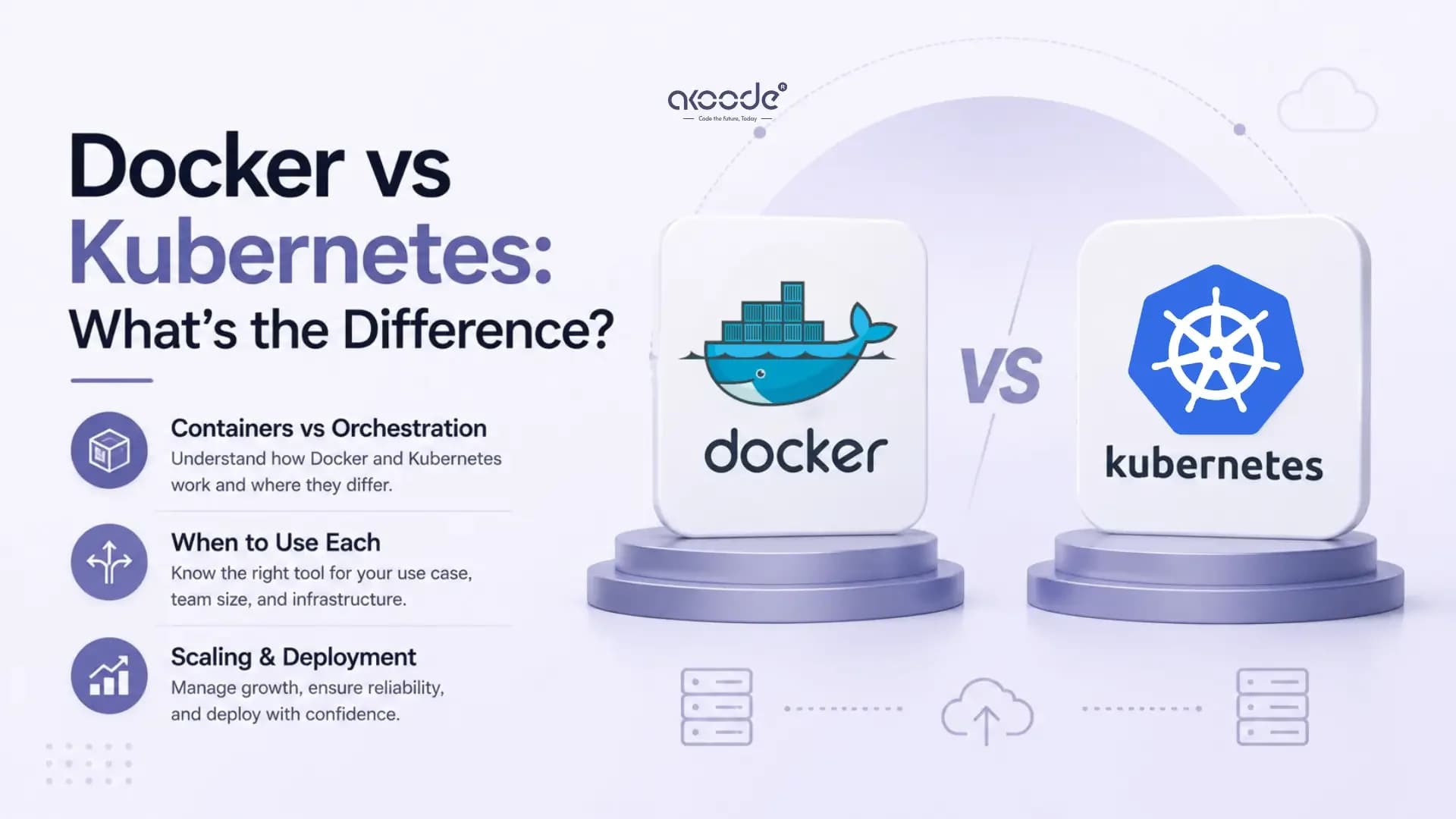
For teams using Docker and Kubernetes as their deployment infrastructure, the Docker vs Kubernetes guide explains how containers and orchestration fit into the deployment stage of a CI/CD pipeline.
Step 7: Set up monitoring and rollback
A pipeline that stops at deployment is not complete. Monitoring and rollback automation are part of the pipeline.
Define what good looks like before deploying. Set baseline metrics for error rate, response time, and CPU utilisation. After each deployment, the monitoring system compares real metrics against those baselines. If a threshold is breached within a defined window, typically five to fifteen minutes after deployment, an automatic rollback triggers.
Automated rollbacks should never depend on a human reacting fast enough. Configure them before you need them. Test them intentionally in staging so the team knows they work.
What Are the Most Important CI/CD Pipeline Best Practices?
These are the practices that separate pipelines that help teams from pipelines that become problems.
Build once, deploy the same artifact everywhere. The artifact built in the CI stage should be the exact artifact deployed to production. Never rebuild between environments.
Never hardcode secrets. Every credential, API key, and password goes into the platform's secrets management system. Pipeline runs access them through environment variables at runtime. Rotate secrets regularly.
Fail fast. Stop the pipeline at the first failure. Running subsequent stages after a build failure wastes compute and delays feedback. Stop immediately and notify the developer.
Keep pipelines fast. A full pipeline run should complete in under fifteen minutes for most applications. Use dependency caching, parallel job execution, and incremental builds to achieve this. Slow pipelines get bypassed.
Treat pipeline configuration as code. The YAML files that define your pipeline live in version control alongside the application code. Changes to the pipeline go through the same review process as changes to the application.
Practice rollbacks before you need them. Test your rollback process intentionally in staging. When a production incident happens, the team should be executing a practised procedure, not figuring out the steps under pressure.
Separate staging and production secrets. Use entirely different credentials for staging and production. This limits the blast radius if a staging environment is compromised.
How Do You Measure Whether Your CI/CD Pipeline Is Working?
A pipeline that feels fast may not actually be improving delivery performance. Measuring the right metrics confirms whether the investment is paying off.
The four DORA metrics are the industry standard for CI/CD pipeline performance measurement. They cover deployment frequency, lead time for changes, change failure rate, and mean time to recover from a failure.
Elite DevOps teams deploy multiple times per day with a lead time under one hour. Changes fail in production less than five percent of the time. Recovery from a failure takes under one hour.
These metrics reveal where the pipeline is creating value and where it is creating friction. A high change failure rate points to inadequate test coverage. A long lead time points to slow pipeline stages or too many manual approval steps. A long mean time to recover points to missing rollback automation.
The DevOps metrics guide covers all four DORA metrics in detail, including how to measure them and what benchmarks indicate a high-performing delivery pipeline.
What Are the Most Common CI/CD Pipeline Mistakes?
Skipping tests to speed up deployments. You save five minutes on the pipeline. You spend hours debugging a production incident the test would have caught. It always costs more than it saves.
Building without caching. Installing all dependencies from scratch on every pipeline run adds one to three minutes to every build. Cache dependencies aggressively. Most CI platforms support dependency caching with a few lines of configuration.
Treating the pipeline as a one-time setup. A pipeline requires the same ongoing care as the application it ships. Review it when the application architecture changes. Optimise it when stages get slow. Audit the permissions regularly.
Deploying directly to production without staging validation. Every change should run in a production-like environment before real users see it. Staging exists to catch the problems that testing environments miss.
Complex shell scripts in pipeline steps. When pipeline logic becomes complex, move it into proper scripts or tools rather than embedding it in YAML. YAML pipelines are configuration. Business logic belongs in version-controlled scripts.
Conclusion
A CI/CD pipeline is not a feature. It is the foundation that makes every other feature deliverable at speed and at scale.
Starting simple is the right approach. A pipeline that builds, tests, and deploys to one environment is better than no pipeline. Improve it incrementally as the team grows and the application becomes more complex. Add security scanning. Add monitoring. Add rollback automation. Each improvement reduces risk and increases delivery confidence.
The teams that ship the best software are not the ones who write the most code. They are the ones with the most reliable, consistent path from code to production.
Akoode Technologies is a leading AI and software development company headquartered in Gurugram, India, with a US office in Oklahoma. Our cloud and DevOps solutions include CI/CD pipeline design and implementation, containerised deployment architecture, and DevOps infrastructure for teams building at scale. From startups setting up their first pipeline to enterprises modernising legacy delivery processes, Akoode builds DevOps infrastructure that makes engineering teams faster and releases more reliable. If your team is building or improving a CI/CD pipeline and wants an experienced partner to help, that conversation starts here.
Frequently Asked Questions
1. What is a CI/CD pipeline in DevOps?
A CI/CD pipeline is an automated workflow that takes code from a developer's commit through building, testing, security scanning, and deployment to production. It removes manual steps between writing code and delivering it to users, reducing errors and accelerating delivery speed.
2. What does CI/CD pipeline mean?
CI stands for Continuous Integration. CD stands for Continuous Deployment. Together they describe the practice of automatically integrating, testing, and deploying code changes. The pipeline is the automated system that executes this process in defined, sequential stages.
3. How do you build a CI/CD pipeline from scratch?
Start by setting up version control with branch protection rules. Define a pipeline configuration file in YAML. Build the application and upload the artifact. Run unit and integration tests. Add security scanning. Deploy to staging. Run integration tests against staging. Deploy to production with gradual rollout. Add monitoring and rollback automation.
4. What tools are used for CI/CD pipelines?
The most widely used tools in 2026 are GitHub Actions for teams on GitHub, GitLab CI for teams on GitLab, and Jenkins for complex enterprise or air-gapped environments. Docker handles containerisation. Kubernetes handles orchestration. Terraform handles infrastructure as code. Prometheus and Grafana handle monitoring.
5. How long should a CI/CD pipeline take to run?
A full pipeline including build, unit tests, integration tests, and deployment to staging should complete within fifteen minutes for most applications. Longer than that and developers stop waiting for results, which defeats the purpose of the pipeline. Use dependency caching and parallel job execution to stay within this window.
6. What is the difference between CI and CD in a pipeline?
Continuous Integration covers the build and test stages. Every code change is automatically built and tested. If anything fails, the developer is notified immediately. Continuous Deployment covers the delivery stages. Every change that passes CI is automatically deployed to staging or production without manual intervention.
Get In Touch Now
View More Our Blog