


 May 8, 2026
Every developer working with modern infrastructure hits this question early. What is the difference between Docker and Kubernetes? And which one do I actually need?
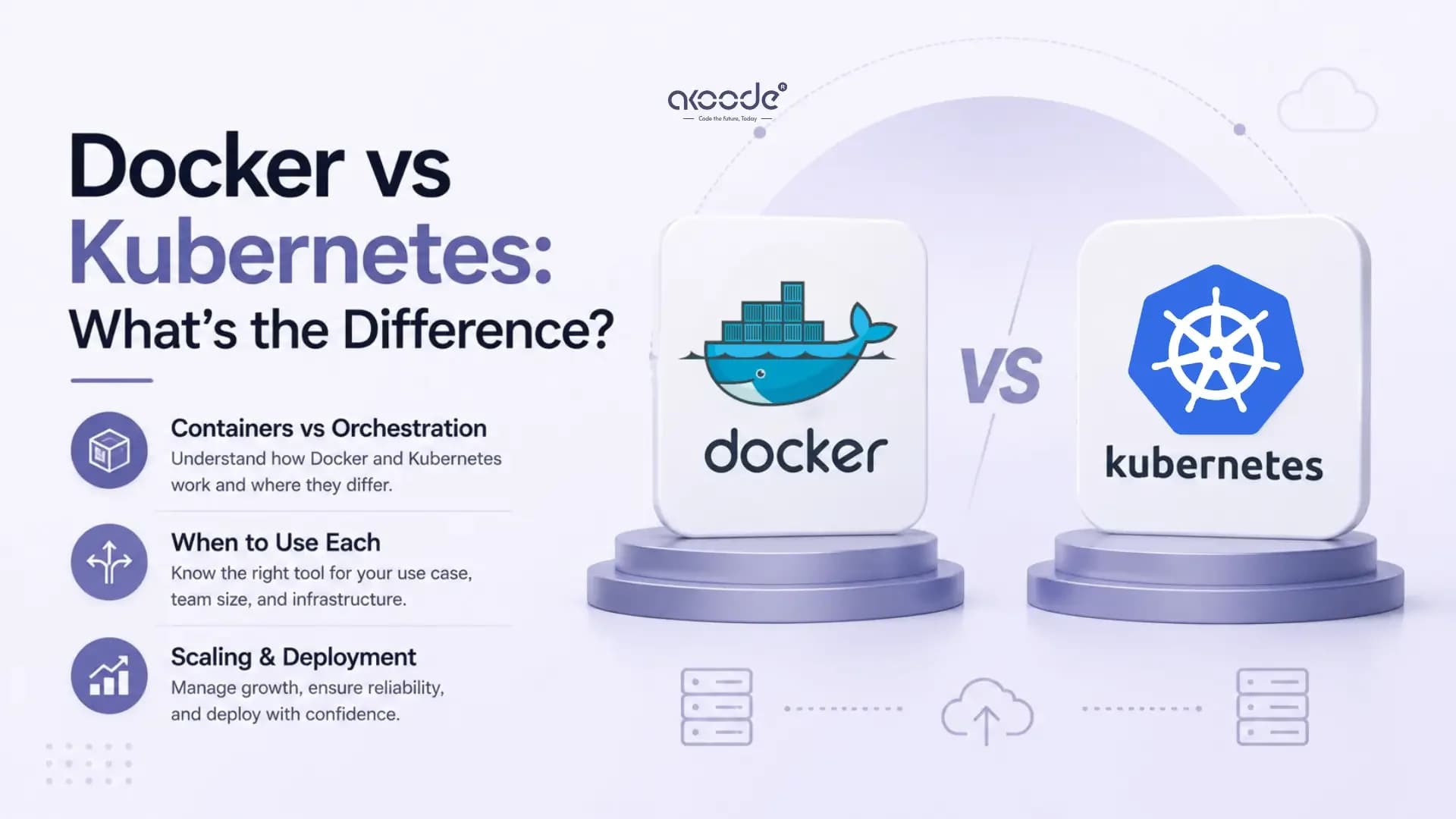
The short answer is that they solve different problems. Docker builds and runs containers. Kubernetes manages and scales them across multiple machines. Most teams end up using both, but at different stages and for different reasons.
This guide explains what each tool does, how they work together, where they differ, and how to decide which one fits your current situation.
What Is Docker and How Does It Work?
Docker is a containerization platform. It packages an application and everything it needs to run, code, libraries, system tools, and settings, into a single portable unit called a container.
Before Docker, the classic developer complaint was "it works on my machine." Docker solved that. The application behaves identically whether it runs on your local machine, a staging server, or a production cloud environment. The environment travels with the code. The environment is part of the package.
Here is how a basic Docker workflow looks. A developer writes a Dockerfile with instructions for building the application image. Docker builds that image. The image can then be run as a container anywhere Docker is installed.
Docker also includes Docker Compose for running multi-container applications locally. You define all your services, a web app, a database, a cache, in a single file. One command starts everything together. This makes local development and testing significantly faster.
Docker is excellent for building containers and running them on a single machine. What it was never designed to do is manage hundreds of containers across multiple servers. That is where Kubernetes enters.
What Is Kubernetes and How Does It Work?
Kubernetes, commonly shortened to K8s, is an open-source system built to manage containerised applications across clusters of machines. It does not build containers. It manages and scales them across a cluster of machines.
Kubernetes was originally built by Google. It is now maintained by the Cloud Native Computing Foundation as an open-source project. The name comes from the Greek word for helmsman, someone who steers a ship. That is an accurate metaphor. Kubernetes steers your containers to the right destinations.
Here is what Kubernetes handles in a production environment. It decides which server to run each container on. It restarts containers that crash. It scales containers up when traffic increases and scales them back down when it drops. It distributes traffic across running containers. It manages configuration and secrets. It rolls out updates without downtime.
You define what you want your infrastructure to look like. Kubernetes keeps checking actual cluster state against your declared target. Whenever the two drift apart, it takes corrective action without waiting for manual input. If three copies of your API should always be running and one crashes, Kubernetes replaces it automatically.
What Is the Difference Between Docker and Kubernetes?
The core difference is their layer of responsibility. Docker works at the container level on a single host. Kubernetes works at the cluster level across many hosts.
A useful analogy: Docker is the engine that builds and starts the car. Kubernetes is the highway system that coordinates where all the cars go, how they interact, how they scale, and what happens when one breaks down.
Here is a side-by-side breakdown of the key differences:
Factor | Docker | Kubernetes |
|---|---|---|
Primary function | Build and run containers | Orchestrate containers at scale |
Scope | Single host | Multi-host cluster |
Setup complexity | Low | High |
Scaling | Manual | Automatic |
Self-healing | No | Yes |
Load balancing | Basic | Built-in, advanced |
Rolling updates | Manual | Automated |
Best for | Development, single-host deployment | Production, microservices at scale |
Learning curve | Days | Weeks to months |
Infrastructure cost | Low | Higher, but efficient at scale |
These two tools are not competitors. They are complementary. Docker creates the containers. Kubernetes runs and manages them in production.
What Is the Difference Between a Pod and a Container?
This is one of the most common points of confusion for developers new to Kubernetes.
A container is the basic unit in Docker. It packages one application or service with its dependencies. One container, one process.
A pod is the basic unit in Kubernetes. A pod wraps one or more containers that need to work closely together. All containers in a pod share the same network address and can communicate through localhost. They also share storage volumes.
In most cases, a pod contains a single container. But pods exist because some workloads genuinely need two tightly coupled processes. A main application container and a logging sidecar. A web server and a proxy. These run together as one pod because they need to share network identity and lifecycle.
The practical difference matters for resource planning. Kubernetes schedules pods, not individual containers. When you define resource limits, CPU and memory, you set them at the pod level. The Kubernetes scheduler uses those definitions to decide which node in the cluster to place each pod on.
A pod is also the unit of self-healing. If a pod crashes, Kubernetes replaces the entire pod, not just a container inside it.
What Is Docker in Cloud Computing?
In cloud computing, Docker provides the portable packaging that makes applications cloud-agnostic. A Docker container runs the same way on AWS, Azure, Google Cloud, or any on-premise server.
This portability is foundational to cloud-native architecture. Instead of configuring a server for each application, teams build a container image once and deploy it anywhere. Cloud providers offer managed container registries for storing images and managed services for running containers.
The combination of Docker and cloud infrastructure removes a significant amount of operational overhead. Teams do not manage the underlying servers. They manage container images. The cloud platform handles the hardware.
For teams running containerized workloads at scale in the cloud, Kubernetes is the orchestration layer that sits on top. Cloud providers offer managed Kubernetes services. AWS has EKS, Google Cloud has GKE, and Azure has AKS. These services handle the Kubernetes control plane so teams focus on deploying applications rather than managing cluster infrastructure.
For teams building cloud and DevOps solutions, Docker and Kubernetes together form the foundation of modern deployment pipelines. Understanding how they interact is essential for building reliable, scalable systems.
How Do Docker and Kubernetes Work Together?
The workflow is sequential. Docker builds the container image. Kubernetes runs it.
A typical development and deployment flow looks like this. A developer writes application code. They write a Dockerfile with build instructions. Docker builds the container image. The image is pushed to a container registry. Kubernetes pulls the image from the registry and deploys it to the cluster.
Kubernetes does not require Docker specifically. Under the hood it uses a container runtime interface. The most common runtime today is containerd, which was originally part of Docker and donated to the open-source community. Docker images are fully compatible with containerd. The containers you build with Docker run the same way on Kubernetes.
The key operational insight is that Docker handles the development workflow. Kubernetes handles the production workflow. Most engineers use Docker Compose locally for development and testing. They use Kubernetes manifests and Helm charts for production deployments.
When Should You Use Docker Without Kubernetes?
Kubernetes is powerful. It is also genuinely complex. Not every project needs it.
Docker without Kubernetes is the right choice in several common situations.
You are in early development. Docker Compose handles local multi-service development cleanly. Adding Kubernetes at this stage creates overhead without benefit.
Your application runs on a single server. Kubernetes is designed for clusters. Running it on one machine adds complexity with no scaling advantage.
Your team is small. Kubernetes requires real operational expertise. A two-person team building a startup product should not spend engineering time managing a Kubernetes cluster. Use Docker directly or a managed container service from a cloud provider.
Your scale is modest. If your application serves fewer than 10,000 daily users and runs fewer than ten containers, Docker Compose or a simple container service is sufficient. The break-even point where Kubernetes efficiency savings justify its operational overhead typically starts around 15 to 20 microservices or roughly $10,000 to $15,000 per month in compute spend.
You need fast iteration. Docker has a much lighter configuration footprint. Making changes takes minutes rather than the longer cycle that Kubernetes requires. For projects where requirements are still evolving rapidly, simplicity matters more than orchestration capability.
When Does a Team Need Kubernetes?
Kubernetes becomes the right tool when scale, reliability, and automation requirements outgrow what Docker alone can manage.
You are running multiple microservices. When your application is split across five or more independent services, coordinating their deployment, networking, and scaling manually becomes a real operational problem. Kubernetes handles this automatically.
You need automatic scaling. Kubernetes scales containers up when traffic spikes and scales them back down when it drops. This reduces infrastructure cost and removes the need for manual intervention during traffic events.
You need high availability. Kubernetes restarts crashed containers, replaces failed nodes, and distributes workloads across multiple servers. For applications with uptime SLAs above 99.9 percent, this self-healing capability is essential.
You have multiple teams deploying independently. Kubernetes namespaces let separate teams deploy and manage their own workloads on shared infrastructure. Each namespace has its own access controls, resource quotas, and network policies.
You are serving significant traffic. A threshold worth noting: applications serving 100,000 or more daily users or running in highly regulated environments with strict deployment controls consistently benefit from Kubernetes' orchestration capabilities.
Docker vs Kubernetes: Which Should Your Team Learn First?
The learning path is clear. Learn Docker first. It is the foundation.
Docker has a learning curve measured in days. A developer unfamiliar with containers can be writing Dockerfiles and running Docker Compose within a week. The concepts are intuitive. The tooling is well documented. The feedback loop is fast.
Kubernetes has a learning curve measured in weeks to months. The concepts require understanding pods, deployments, services, ingress controllers, config maps, namespaces, RBAC, and more. Misconfigurations in Kubernetes can cause real production problems. The Certified Kubernetes Administrator and Certified Kubernetes Application Developer certifications from the Cloud Native Computing Foundation are among the most valued DevOps credentials in 2026 for good reason. They are rigorous.
The progression that works for most engineers is straightforward. Master Docker and Docker Compose. Get comfortable with container networking and image management. Then introduce Kubernetes when your project's scale genuinely demands it.
For teams evaluating how container tooling fits into a broader DevOps practice, tracking the right DevOps metrics helps measure whether your deployment pipeline is actually improving as you adopt new tooling.
Conclusion
Docker and Kubernetes are not competing choices. They are tools that operate at different layers of the same infrastructure stack.
Docker solves the packaging problem. It makes applications portable and consistent across every environment. Kubernetes solves the orchestration problem. It makes those containerized applications reliable, scalable, and manageable in production.
Most teams start with Docker. They add Kubernetes when the scale and reliability demands of their product genuinely require it. Jumping to Kubernetes too early creates complexity without the benefits that justify it. Waiting too long creates technical debt that is harder to unwind under production pressure.
The decision comes down to where your product is today and where it is going. If you are building a system that will need to scale, run reliably under real traffic, and be managed by multiple teams, investing in Kubernetes knowledge and infrastructure now pays forward.
Akoode Technologies is a leading AI and software development company headquartered in Gurugram, India, with a US office in Oklahoma. From cloud and DevOps solutions and containerized application deployment to full stack development and AI-powered web applications, Akoode builds scalable infrastructure and software products for startups, SMEs, and enterprises across 15+ industries globally. If your team is evaluating the right container strategy for your next build, that conversation starts here.
Frequently Asked Questions
1. What is the difference between Docker and Kubernetes?
Docker builds and runs containers on a single machine. Kubernetes manages and orchestrates containers across multiple machines at scale. Docker handles the packaging problem. Kubernetes handles the production operations problem. Most teams use both together.
2. What is the difference between a pod and a container?
A container packages one application with its dependencies. A pod is the smallest deployable unit in Kubernetes and wraps one or more containers that share a network address and storage. Most pods contain one container. Kubernetes schedules and heals at the pod level, not the container level.
3. What is Docker in cloud computing?
In cloud computing, Docker provides portable container packaging that runs consistently across any cloud provider or on-premise server. Cloud platforms use Docker images to deploy applications without managing the underlying server configuration. Kubernetes is the orchestration layer that manages those Docker containers at scale in cloud environments.
4. Can you use Kubernetes without Docker?
Yes. Kubernetes uses a container runtime interface and works with runtimes like containerd or CRI-O, not just Docker. However, Docker images are compatible with all these runtimes. In practice, most teams build images with Docker and deploy them to Kubernetes regardless of the underlying runtime.
5. When should a team start using Kubernetes?
When running five or more microservices, serving 100,000 or more daily users, needing automatic scaling and self-healing, requiring high availability SLAs above 99.9 percent, or managing deployments across multiple teams on shared infrastructure. For smaller projects, Docker Compose or a managed container service is usually sufficient.
6. Is Docker or Kubernetes better for beginners?
Docker is significantly more accessible for beginners. The concepts are intuitive and the learning curve is measured in days. Kubernetes requires understanding a much larger set of concepts and has a learning curve measured in weeks to months. The recommended path is to master Docker first and introduce Kubernetes when your project's scale genuinely requires orchestration.
Get In Touch Now
View More Our Blog