




 May 26, 2026
Android runs on more than seven in ten smartphones worldwide. For any business building a mobile product, that reach is hard to ignore. But building without a clear understanding of the process is one of the fastest ways to waste budget and miss deadlines.
This guide is written for business owners and decision-makers. It covers how Android apps are developed, what each stage involves, what it costs in 2026, and how long it actually takes. By the end, you will have a clear framework for making a smarter build decision.
Why Is Android App Development Important for Your Business?
Android's market dominance is not just a number. It is a strategic reality. Businesses that skip Android at launch often return to it within a year. They realise too late how much of their audience sits on Android devices.
The platform leads in India, Southeast Asia, Africa, and large parts of Latin America and Europe. If your business serves any of these markets, building for Android is not optional. It is foundational.
Android also gives businesses more flexibility than competing platforms. The Google Play Store has a faster app review cycle. The platform allows deeper customisation of the user experience. Sectors like fintech, logistics, and healthcare rely on this flexibility. These industries need apps that connect directly with device hardware and operating systems.
Enterprise distribution is another advantage. Android apps can be shared outside the Play Store entirely. iOS does not offer this option. For businesses building internal tools for field teams, warehouse staff, or delivery fleets, this is a practical advantage that changes how the product gets deployed.
How Does the Android App Development Process Actually Work?
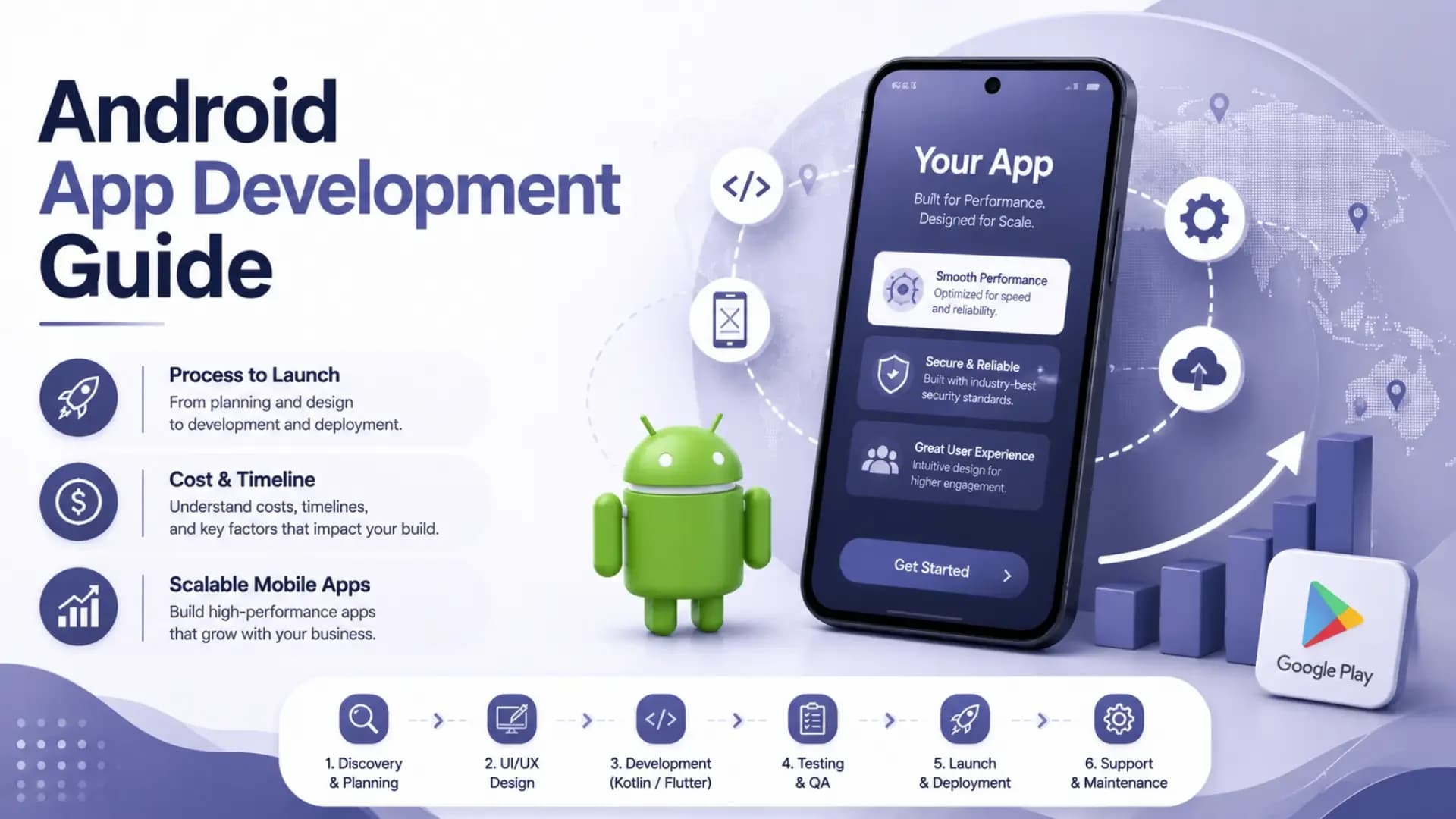
Android app building follows clear stages. Each stage has a purpose. Skipping one creates problems in the next.
What Happens During Discovery and Planning?
Discovery is where projects either start well or start badly. A proper discovery phase defines the problem the app solves. It identifies the users, the core features, and the technical constraints that shape every decision after it.
For businesses, this phase should produce a product brief, user flow diagrams, and a prioritised feature list. These documents serve two purposes. They give developers a clear direction. They also force the business to make decisions early, before development costs make changes expensive.
Many founders skip discovery to save time. It is almost always a mistake. Unclear requirements cause scope creep. Scope creep extends timelines. Extended timelines burn budget. A solid discovery phase costs a fraction of what unclear requirements cost during build.
What Does UI and UX Design Involve?
Design in Android development is not about aesthetics. It is about clarity. Google publishes a design system called Material Design. It sets the standard for how components, navigation, and interactions should behave across Android devices.
Good design for a business app means users complete their core task in as few steps as possible. Every extra tap is a drop-off point. Every confusing label reduces adoption. For apps tied to a specific workflow, poor UX directly affects how many people actually use the product.
Design should be completed before development begins. Handing developers unresolved screens leads to rework. The design phase should produce approved, high-fidelity screens for every key user flow before code is written.
How Is an Android App Actually Built?
Development is where the product takes technical shape. Android apps are built primarily using Kotlin. Google recommends Kotlin over Java for all new Android projects. It is cleaner, safer, and better suited to modern Android development.
Development typically runs in two-week sprints. Each sprint delivers working, testable features. Businesses should review output at the end of each sprint. This catches misalignments early when they are still cheap to fix.
Android app building also involves architecture decisions. How the code is structured affects how easy the app is to scale and maintain later. A business app expected to grow in features needs a clean codebase from day one. Rushing architecture to speed up early sprints creates debt that slows every sprint that follows.
Businesses considering both Android and iOS should think about the framework decision early. Flutter and React Native approach cross-platform development differently. The right choice depends on app complexity and long-term platform plans.
What Does the Testing Phase Cover?
Testing is where the most visible problems get caught. A proper QA cycle for an Android app covers several distinct areas.
Functional testing checks whether the app does what it is supposed to do. Every button, form, and navigation path gets tested against expected behaviour. This catches logic errors and missing edge cases.
Device compatibility testing is specific to Android. The platform runs across thousands of device types, screen sizes, and OS versions. An app that works on a flagship Samsung may behave differently on a budget device running Android 11. Responsible android app development guidelines require testing across a meaningful device range, not just the latest models.
Performance testing checks battery use, speed under load, and behaviour when the network drops. Security testing matters for any app handling user data, payments, or internal company information. Vulnerabilities missed before launch become incidents after it.
What Happens at Launch and After?
Launch is not the end of the process. It is the beginning of the next phase. Getting listed on the Google Play Store requires following Google's content and technical policies, preparing metadata, and passing their review.
Post-launch, the development cycle continues. Real user behaviour surfaces patterns no pre-launch testing could predict. Crashes appear on untested devices. Features users want were never in the original scope. Maintenance and iteration are ongoing costs. Businesses that budget only for the build consistently underestimate what running an app actually requires.
Which Is Best for Android App Development: Native or Cross-Platform?
This is one of the most common questions businesses ask before starting. The honest answer depends on your specific requirements.
Native Android development means building exclusively for Android using Kotlin. It gives full access to every Android feature and the best possible performance. For apps requiring real-time mapping, video processing, or deep hardware integration, native is the right choice.
Cross-platform development, using Flutter or React Native, lets one codebase serve both Android and iOS. This reduces build time and cost for businesses needing both platforms. The trade-off is that some platform-specific features need extra work. Performance ceilings are slightly lower than native.
For most business apps that are not performance-intensive, cross-platform is a practical and cost-effective path. For apps needing deep Android system access, native development justifies the higher cost.
This decision also connects to your iOS strategy. Understanding the iOS app development process alongside Android helps businesses with dual-platform ambitions plan their roadmap and budget accurately from the start.
What Does Android App Development Cost in 2026?
Cost is the question every business asks. The range is wide and depends on variables specific to your project.
App complexity is the biggest driver. A simple informational app costs far less than a marketplace with real-time features, payment integration, and user account management. Complexity drives hours. Hours drive cost.
Team location affects rate significantly. Development teams in India charge between $25 and $50 per hour at mid-senior level. Eastern European teams run $50 to $80 per hour. US and UK-based teams range from $100 to $200 per hour. Top-end Indian teams deliver quality that competes with any geography at a fraction of the rate.
Feature set determines scope. Push notifications, payment gateways, maps, real-time data, in-app chat, and admin dashboards all add engineering time. Each feature that looks simple on the surface carries complexity underneath.
App Type | Estimated Cost Range | Estimated Timeline |
|---|---|---|
Simple app, 3 to 5 screens | $5,000 to $15,000 | 6 to 10 weeks |
Mid-complexity app with backend | $15,000 to $40,000 | 3 to 5 months |
Complex app with real-time features | $40,000 to $100,000+ | 5 to 9 months |
Enterprise-grade app | $100,000+ | 9 to 18 months |
These are directional ranges. Actual quotes depend on your feature set, tech stack, and team. Founders building their first mobile product regularly underestimate what mobile app development actually costs, especially the post-launch maintenance and iteration that sits outside the initial build quote.
How Long Does Android App Development Take in 2026?
Timeline depends on scope, team size, and how fast the business side makes decisions. Developer availability is rarely the bottleneck. Slow approvals and changing requirements cause most delays.
A focused team with a clear brief can deliver a mid-complexity Android app in three to four months. The same scope with unclear requirements and slow feedback can stretch to seven or eight months.
Businesses control timeline by doing discovery and design work properly before development starts. When developers receive resolved designs and a clear feature brief, they move faster. Every day spent resolving ambiguity during development is a day not spent building.
Sprint-based development keeps projects on track. When you review output every two weeks, problems surface early. When you receive a final product after four months with no intermediate reviews, course correction becomes costly.
What Are the Android App Development Guidelines Businesses Should Follow?
Several principles separate apps that perform well from those that get built and quietly abandoned.
Start with the minimum viable feature set. Including every feature in version one is tempting and almost always wrong. A focused app that does three things well attracts users and generates real feedback. An overloaded app that does fifteen things poorly attracts neither.
Build for the devices your actual users carry. Android fragmentation is real. Your audience in India likely uses mid-range devices on Android 11 or 12. Your app must perform well on those devices, not just on a flagship.
Plan for app store optimisation before launch. The metadata, screenshots, and keyword strategy for your Play Store listing affect how many people discover your app organically. Most businesses treat this as an afterthought. Those who plan it as part of the launch process get better early traction.
Security cannot be added easily after the fact. Apps handling user data, login credentials, or payments need security architecture decided at the planning stage. Retrofitting security after a vulnerability is found is expensive and damaging.
Conclusion
Building an Android app is a significant investment. The process is structured, the costs are real, and the timeline is directly tied to how prepared you are before development begins. Businesses that take discovery and design seriously get better outcomes. Those who rush into code spend more fixing problems that planning would have prevented.
Akoode Technologies is a leading AI and software development company headquartered in Gurugram, India, with a US office in Oklahoma. From Android app development and iOS builds to cross-platform mobile products, AI-powered features, and full-stack engineering, Akoode serves startups, SMEs, and enterprises across 15+ industries globally. If you are planning an Android app and want a clear scope, honest cost estimate, and a team that has delivered across multiple industries, talk to Akoode before you commit to a direction.
The right build decision starts with the right information. Apply what you have read here to your specific product, your specific users, and your specific timeline.
Frequently Asked Questions
1. What is the best language for Android app development in 2026?
Kotlin is the industry standard for native Android development. Google officially recommends it over Java for all new projects. Kotlin produces cleaner code, has fewer runtime errors, and integrates well with modern Android tooling. Java still exists in older codebases but is rarely the starting choice for new builds.
2. Can a business build an Android app without a technical co-founder?
Yes. Many businesses do this through dedicated development teams or agency partners. The key is a clear product brief and a reliable way to review sprint output. A non-technical founder can manage an Android project well with the right vendor and a project manager or tech lead embedded in the team.
3. How is Android app development different from iOS app development?
Android apps are built with Kotlin and distributed via the Google Play Store. iOS apps use Swift and go through the Apple App Store. Android offers more device variety, broader distribution flexibility, and a faster review process. iOS has a more uniform device range and typically generates higher average revenue per user in Western markets.
4. What is the difference between native and cross-platform Android development?
Native apps are built exclusively for Android using Kotlin. They offer maximum performance and full access to Android features. Cross-platform apps use Flutter or React Native to share code between Android and iOS. Cross-platform is more cost-efficient for businesses needing both platforms. Native is better when performance or hardware integration is critical.
5. How do businesses handle Android app maintenance after launch?
Post-launch maintenance covers bug fixes, OS version updates, new feature rollouts, and performance monitoring. Most development partners offer monthly maintenance retainers. Businesses should budget roughly 15 to 20 percent of the original build cost annually for ongoing upkeep.
6. What features increase Android app development costs the most?
Real-time features like live chat, location tracking, and live data feeds add the most complexity. Payment integration, third-party APIs, custom animations, and admin dashboards also extend timelines. Offline functionality, multi-language support, and advanced security architecture each add further scope. The feature list is the most controllable cost lever a business has.